

You emailed a secured link to opposing counsel, and thirty seconds later you realized it was the wrong document. Or the client relationship changed. Or someone forwarded the email to a person who should never have seen the file. Whatever the reason, you need to revoke a secured link, and you need to do it now.
The good news is that this takes about fifteen seconds, and you don’t need IT.
Thank you to Eileen Campbell for showing me how to do this.
Why This Works: A Secured Link Points at One Version
A secured link isn’t an attachment. Nothing left your firm’s Repository. NetDocuments sent the recipient a pointer to a specific version of the document, and every time they click it, they’re pulling from your Repository in real time.
That’s the whole reason revocation is possible. With an email attachment, the file is gone the moment you hit Send and there is nothing to take back. With a secured link, you still own the document, so you can shut the door.
It also explains the limitation at the bottom of this post — since the link is tied to a version, revoking it burns that version for future deliveries.
The Fix: Revoke the Link in Three Steps
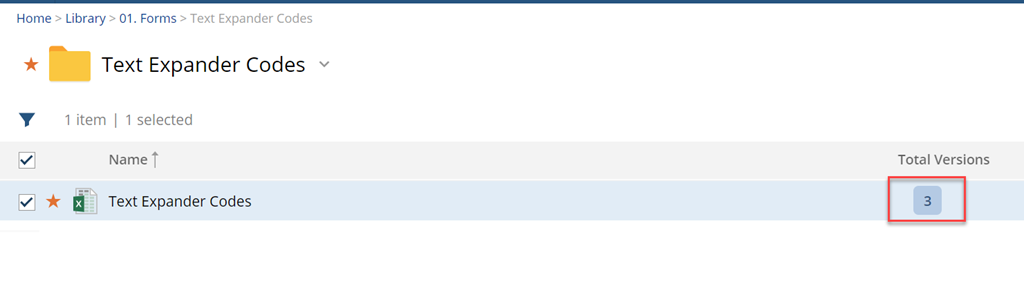
Step 1: Click the Version Number
Open the document in NetDocuments and click the version number. This opens the version list, which is where link deliveries live — not on the document itself.
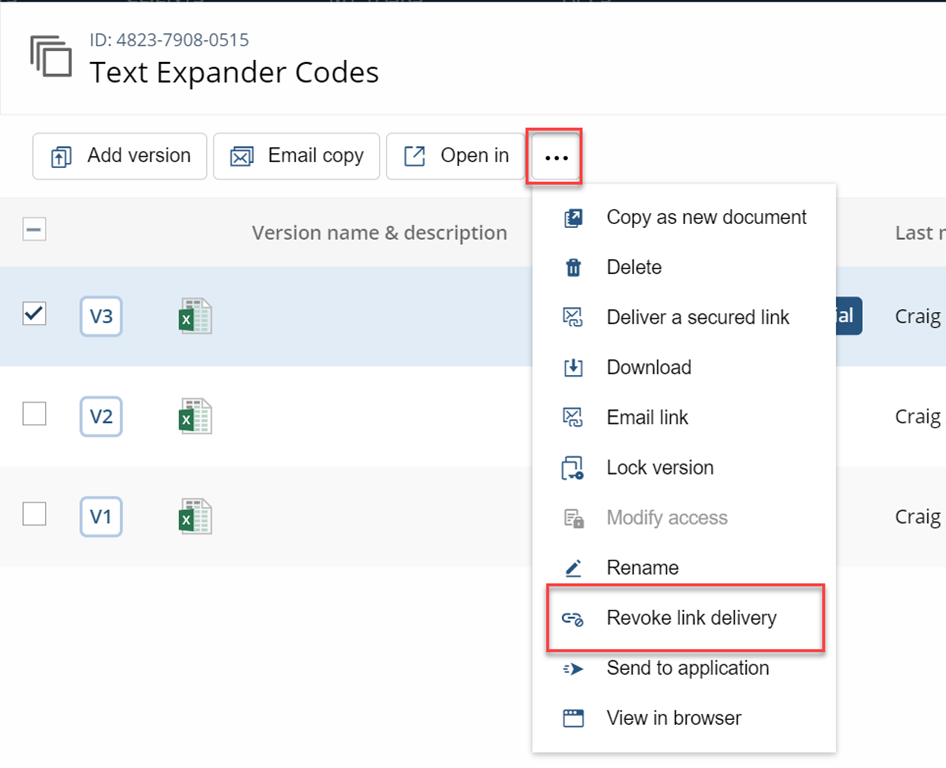
Step 2: Click the … Menu and Choose Revoke Link Delivery
Find the version you shared, click the … menu next to it, and choose Revoke link delivery.
Step 3: Leave a Comment If You Want To
NetDocuments gives you a comment field. It’s optional, but I’d use it. Six months from now, when someone is looking at the document history and wondering why a delivery was revoked, “sent to wrong recipient — resent corrected version” is worth the ten seconds it took to type.
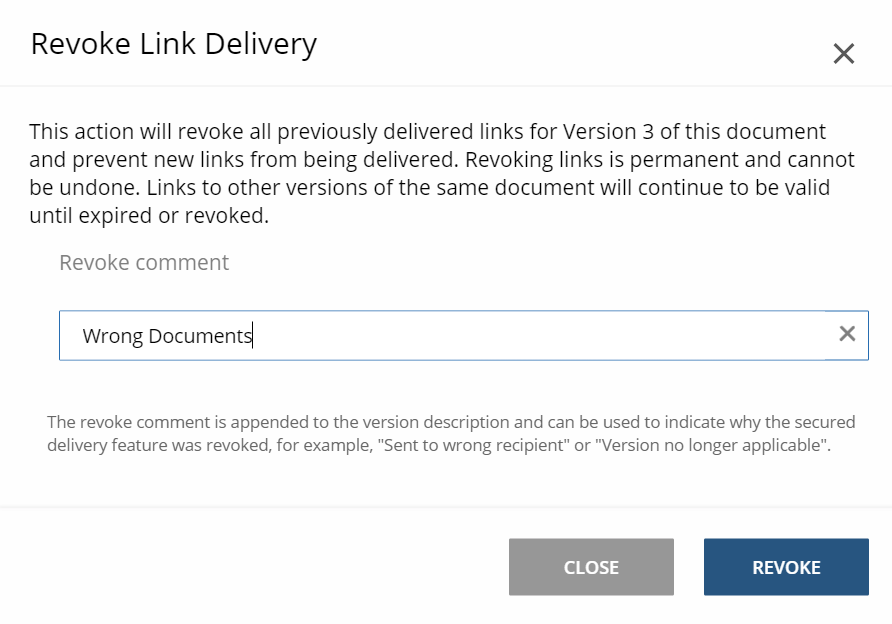
That’s it. The link is dead immediately.
What the Recipient Sees
If they click the old link, they receive a message stating that the document is no longer available. They don’t see the document, they don’t see a preview, and they can’t download it.
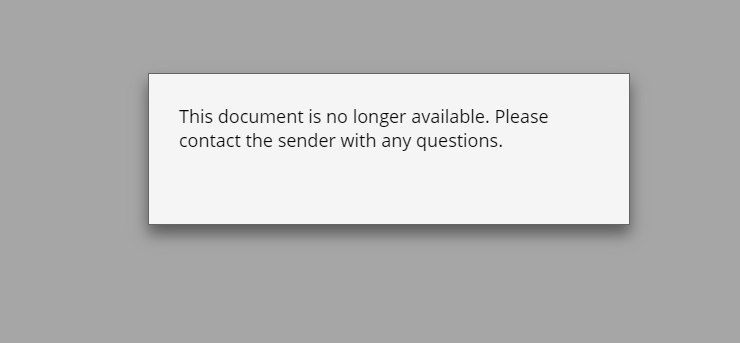
NOTE: You can no longer send a link to this version. You will need to create a new version before you can send a link.
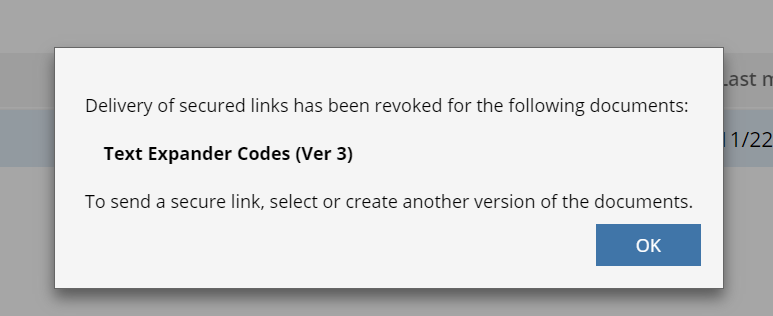
They will know something was pulled back. There’s no way to make a revoked link fail quietly, so if the recipient is someone you’re still working with, send them a short note before they click. It’s a better look than letting them find out from an error page.
You Can’t Send a New Link to That Version
Here’s the part that catches people. Once you revoke the delivery, that version is done. You cannot send a secure link to it again.
If you need to share the document with the same person — or anyone else — you have to create a new version first, then send a link to that one. It’s not a bug and there’s no setting to change it. Plan on it.
Need Help?
If your firm is sharing documents as attachments because nobody ever set up secure links properly, that’s a fixable problem — and it’s usually a one-call fix. We can review how your firm shares documents outside the office and ensure secure links work as they should.
Schedule a free consultation at go.oncehub.com/optconsult.
Craig Bayer is the founder of Optiable, a document management consulting firm dedicated to helping law firms get the most out of NetDocuments. Specializing in firms with 10 to 150 users, he has guided over 550 law firms across the United States and Canada through implementations since 2010.