

A repository administrator has full control over your NetDocuments environment — managing users, security, cabinets, and settings. It’s the access level behind most of the admin tasks on this site, so at least one person at your firm needs it. This guide shows how to grant it to an existing user.
If you’re setting up a brand-new user, you can assign this access during that process instead — see Add a New User in NetDocuments.
Before you start: You must already be a repository administrator to grant this access to someone else.
Grant this deliberately. Repository administrator is full access — every admin can change security, add or remove users, and reach every cabinet in the repository. Keep the number of full admins small. Two or three is usually right for a firm: enough for a backup, but not a long list of people who can change everything.
How to Grant Repository Administrator Access
Step 1: Hi First Name –> Admin

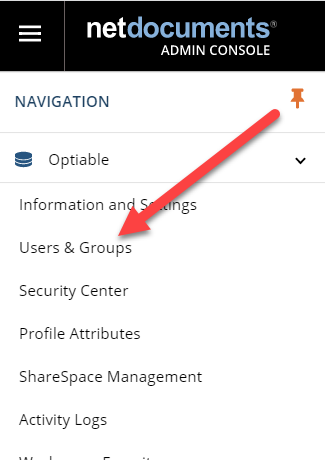
Step 2: Click on Users & Groups
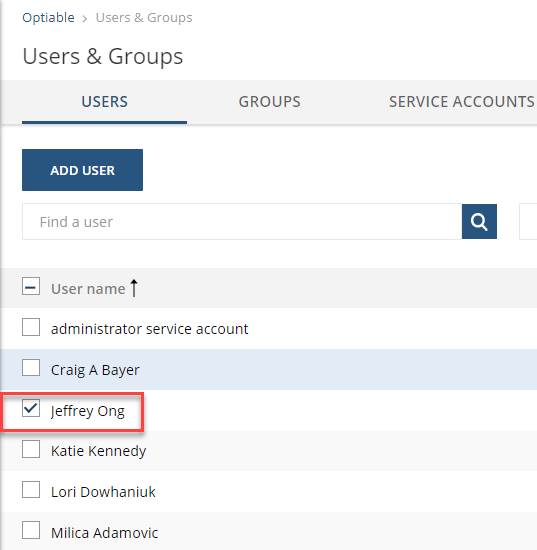
Step 3: Double-click on the User’s Name
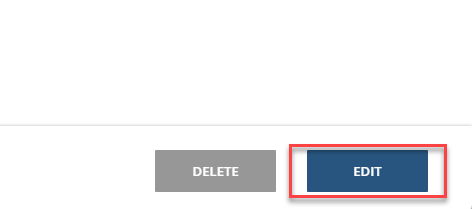
Step 4: Click Edit
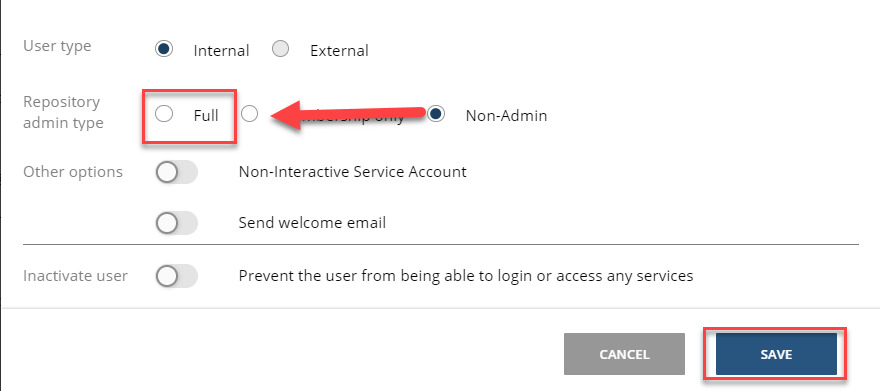
Step 5: Set the repository administrator level from None to Full, then click Save.
That’s all it takes to give an existing user repository administrator rights. The only real judgment call is who should have it — keep that group small and intentional, since a full admin can change anything in your repository.
If your firm needs help reviewing admin access, tightening NetDocuments security, or planning an implementation, schedule a consultation or get in touch with our team.